
For drivers · driver.app
Everything the driver needs. Nothing else.
The driver's app for Android and iOS. Works on driver.pad in the cab, or on the driver's own phone.
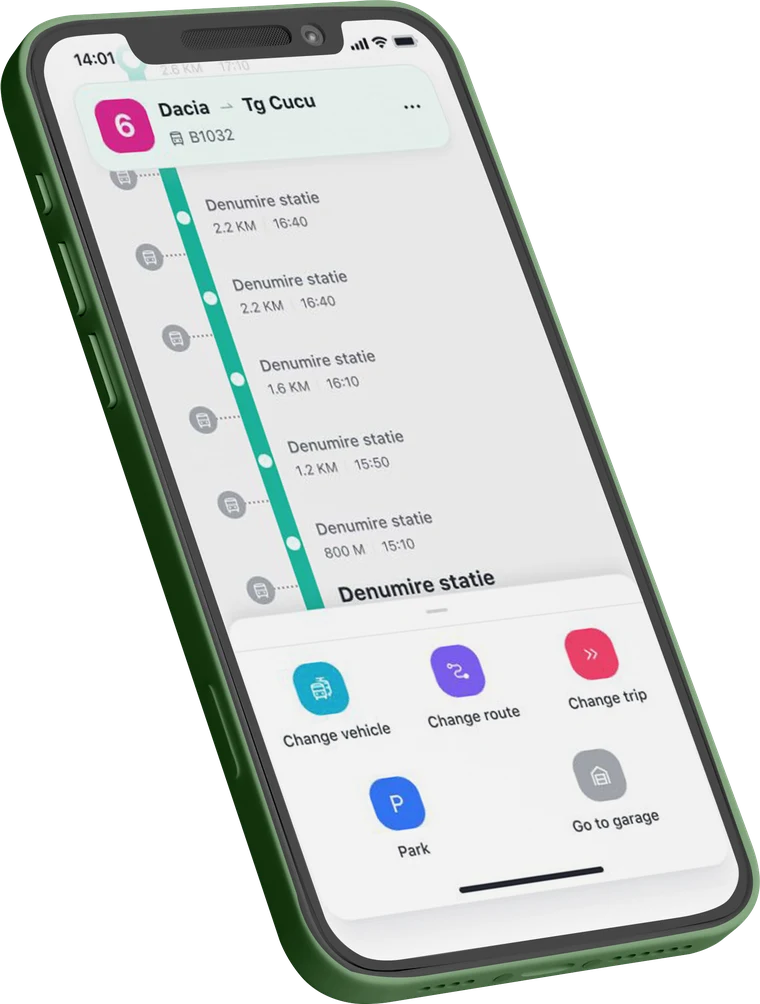
A shift, in four screens
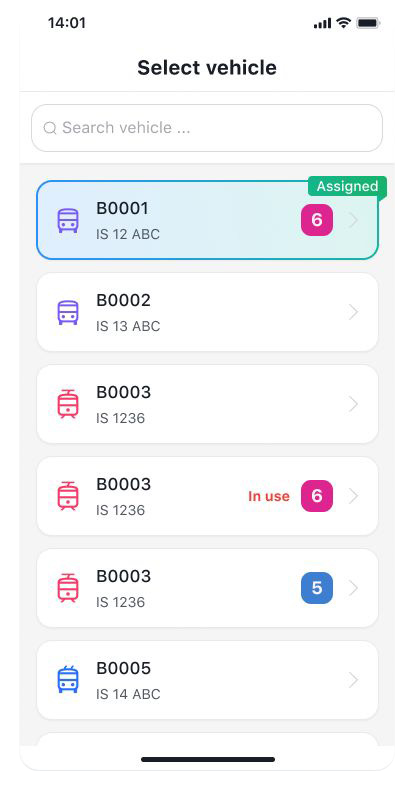
1 · Pick the vehicle
Assigned ones first. In use, flagged.
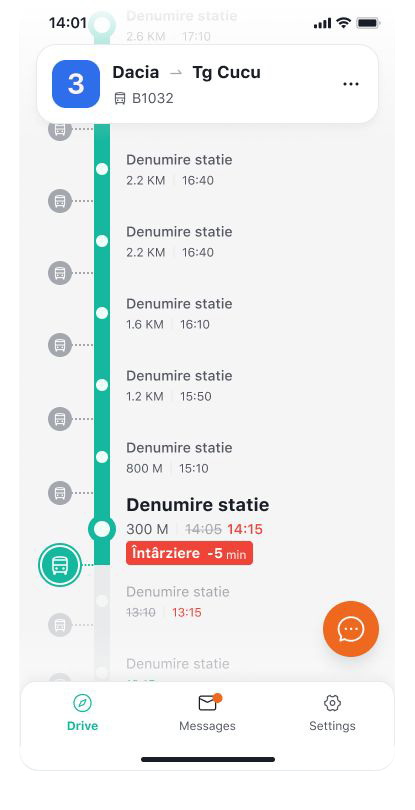
2 · Drive the route
Stops in order, times, delays as they happen.
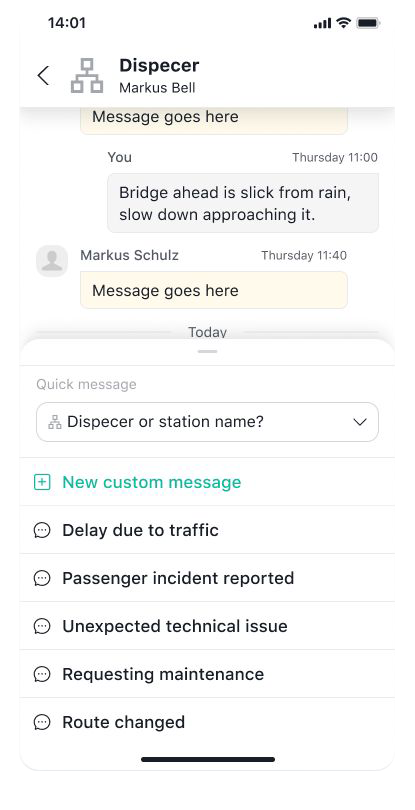
3 · Tell dispatch
Delay, incident, technical issue: one tap.
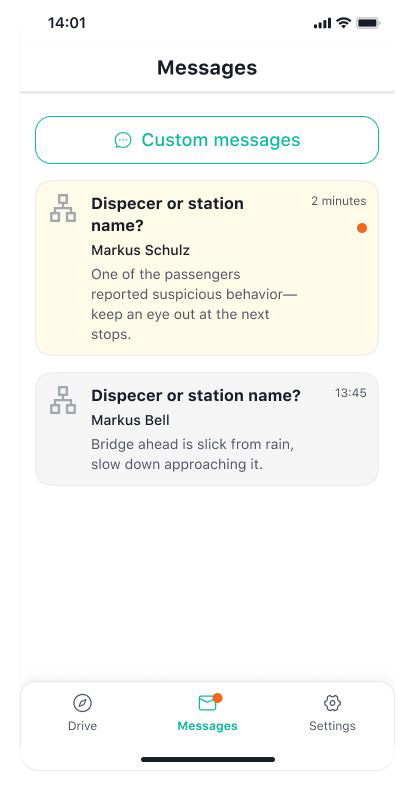
4 · Hear back
Detours and notices, live.
Sign in with a tap
The badge, over NFC. Or a username and password.
In your colours
The app takes the operator's palette.
Reassign in a tap
Another route, when the day doesn't go to plan.
Detours, live
Irregularities reach the driver as they happen.
Reads what's on board
Data from the vehicle network, displays, on-board computer.
Two-way with dispatch
And with Fleetman, and the whole tranzy.ai connection.
Part of one connection
What the driver sends, dispatch sees. What dispatch decides, the stops and the app show.
 +MCP server
From the tranzy.ai film
One tap in the cab. Dispatch and travelers see it.
The driver reports a delay. Dispatch sees it in Fleetman, travelers see it in the app and at the stop.